Audit the local site
A deliberate audit of the demo site's root has examined nine page-like files
and produced four review items. Two are ordinary candidates; one page declares
noindex; another has a canonical pointing elsewhere. Most importantly,
nothing has been approved automatically — the user remains in control.
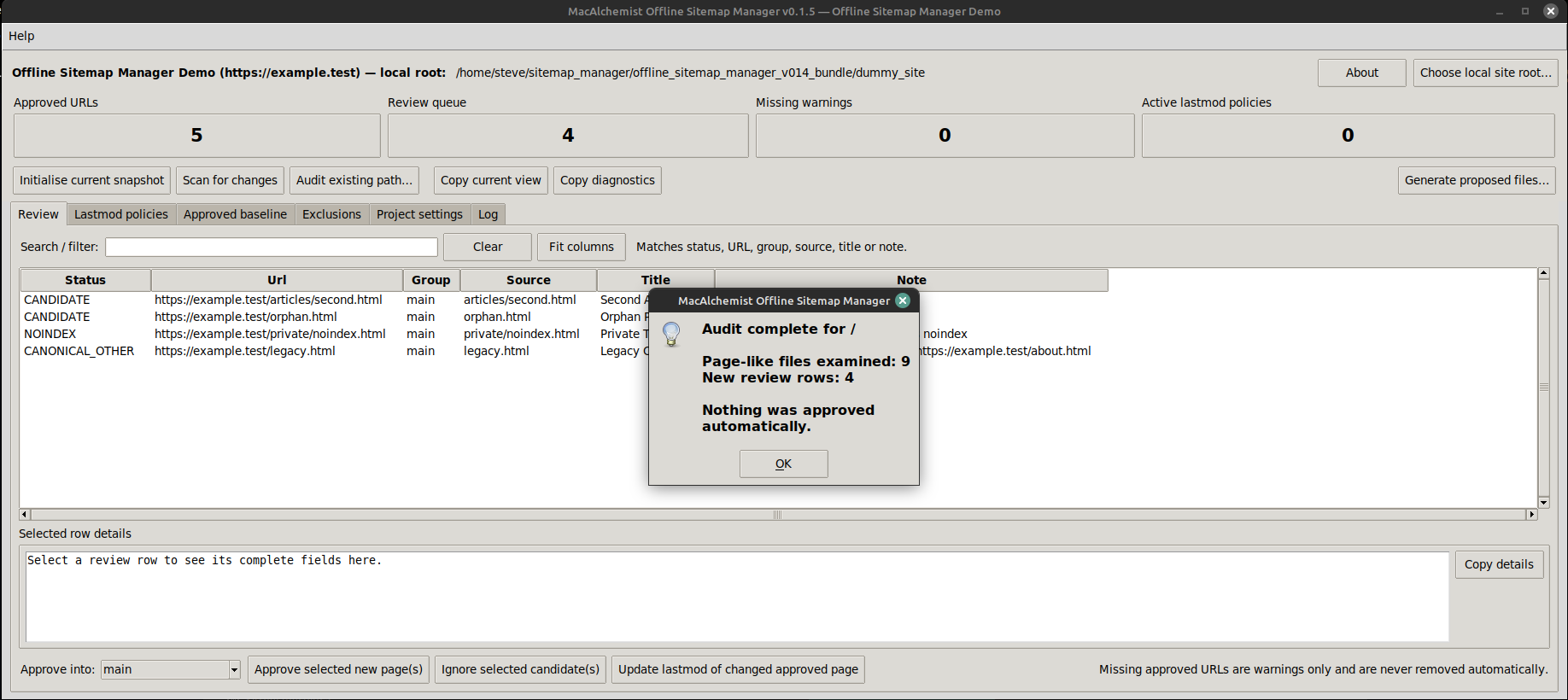
Click the screenshot to open the full-size image.
Keep each site as a project
Project settings hold the site's public base URL, the local snapshot root and
one or more sitemap groups. The demo project uses separate Main and
Articles sitemap files. Custom .htaccess ErrorDocument
pages can also be included in the human-readable sitemap when wanted.
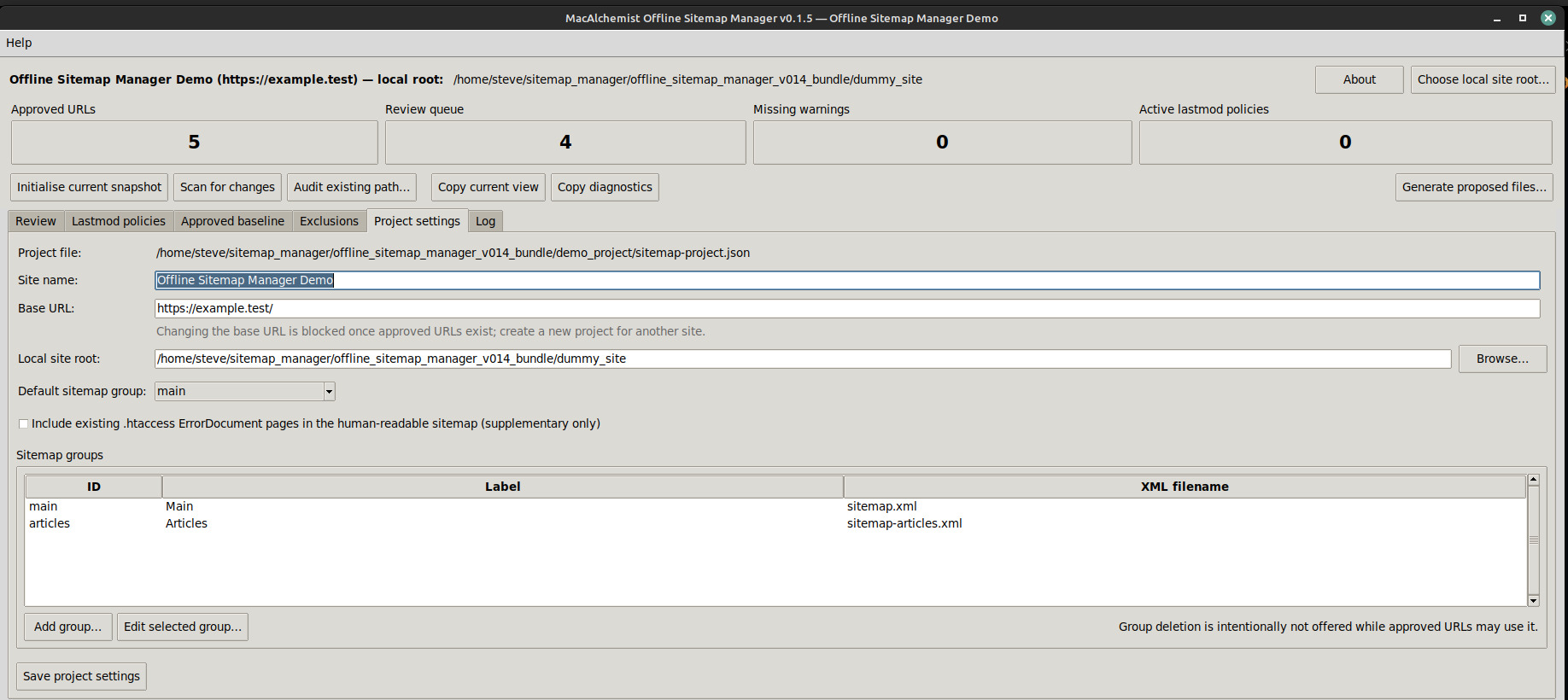
Project settings are stored separately for each site.
Generate into a separate output folder
Proposed sitemap files are generated into a new timestamped directory and XML-validated before the program reports success. The source snapshot is not overwritten, and nothing is written to the live website.
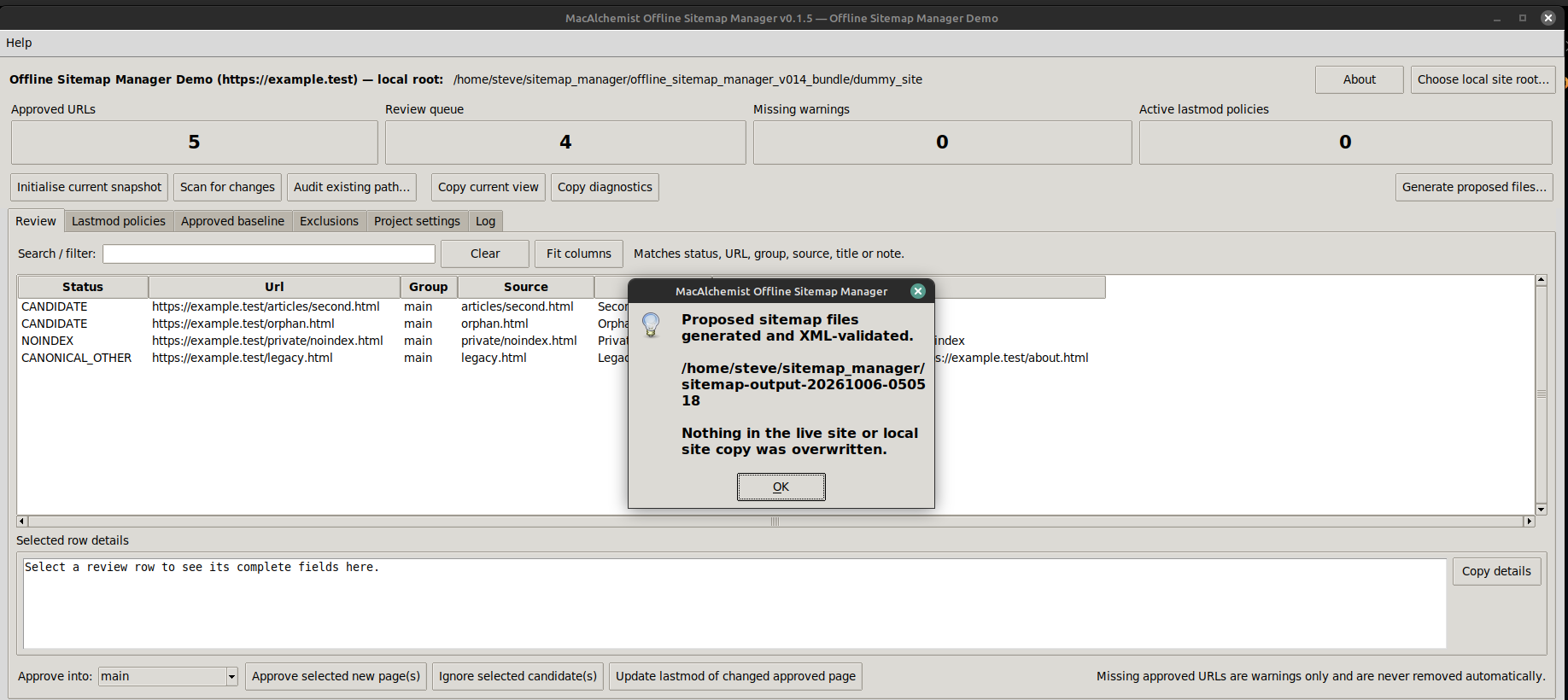
Generation remains a reviewable, local operation.
Review the generated files
The output folder contains the configured XML sitemaps, a sitemap index,
the human-readable sitemap.htm, a change report and the generated
state snapshot. They can be inspected before anything is uploaded to the server.
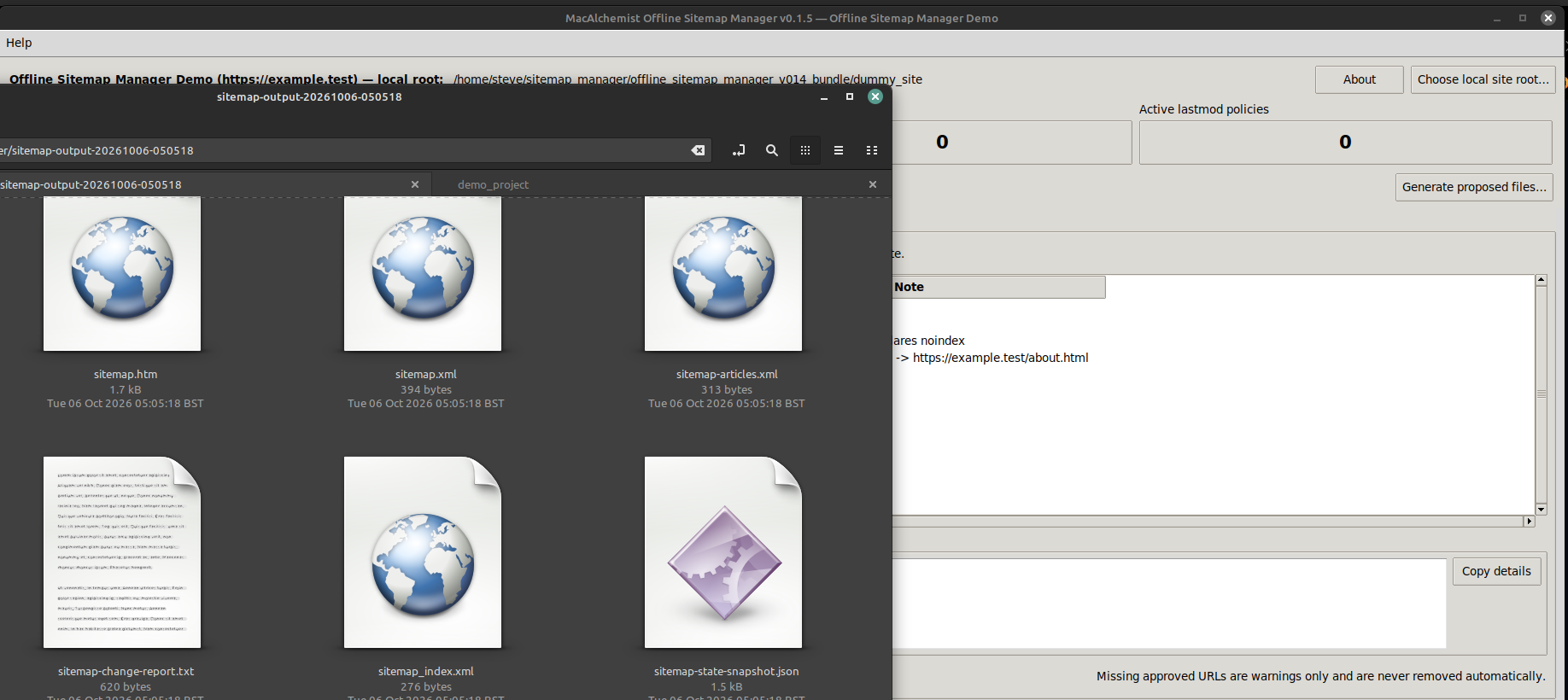
The output is deliberately separate from the site's local source copy.